
Ask a school office when it would be convenient to change ERP software and the answer is usually “not now”. Admissions are coming, or fees are due, or examinations are close. There is always a reason, and each one is valid.
The way through is to separate two things that are often treated as one: the work of preparing a migration, and the moment of going live. This guide explains when to switch school ERP software and how to plan the move around the academic year.
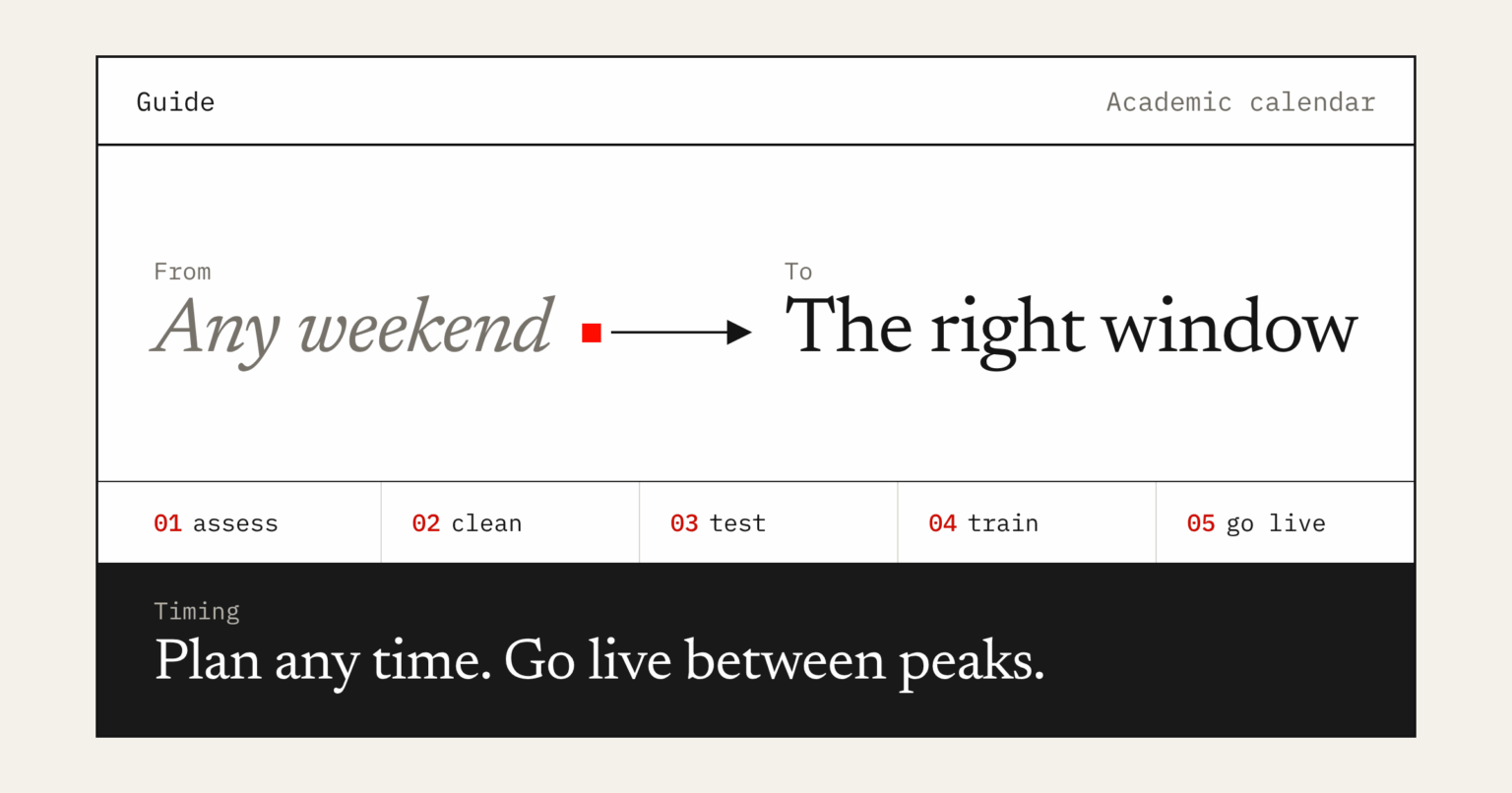
Preparation Can Happen at Any Time
Most of the effort in an ERP migration takes place before anyone in the office sees the new system. None of it interrupts daily work:
- Assessment. Reviewing the current system, its data and the workflows the institution depends on.
- Planning. Deciding what will be migrated, what needs customization and what is handled separately.
- Data cleaning. Removing duplicates and correcting records in the existing system.
- Test migration. Loading a copy of the data into the new system and checking it, while the old system carries on as normal.
- Familiarization. Letting staff try the new system with test data before it matters.
Only the last step, the switch itself, needs careful timing.
Periods to Avoid for Go-Live
Every institution’s calendar is different, so map your own. As a rule, avoid going live during:
- Admissions. New records are created daily and enquiries cannot wait.
- Fee collection deadlines. Balances are changing by the hour and receipts must be issued on the spot.
- Examinations and results. Marks entry and report cards leave no room for a learning curve.
- Financial year-end. Accounts need to close on one system, not two.
Three Ways to Go Live
| Approach | How it works | Suits |
|---|---|---|
| Start of the academic year | The new year begins on the new system, with earlier data migrated or kept as an archive. | Institutions that want a clean starting point and can plan several months ahead. |
| Mid-year window | The switch is made in a quiet stretch between fee dates and examinations, with balances carried over on the day. | Institutions that cannot wait for the next academic year. |
| Phased | One area moves first, for example student records and fees, and others follow. | Larger institutions, or trusts running several schools or colleges. |
Each has trade-offs, and which is possible depends on the systems involved. Some institutions also keep the old system available for reference for an agreed period, where their vendor arrangement allows it.
How Early Should You Start?
Earlier than feels necessary. The common mistake is to begin the conversation a few weeks before a contract renewal, when the only options left are a rushed switch or another year with the same system.
Starting well ahead of the renewal date leaves time for data cleaning, a proper test migration and staff familiarization. It also means the go-live date is chosen by the institution, not forced by a deadline.
What Timing Cannot Fix
A good window lowers the pressure. It does not replace backups, testing or a rollback plan, and it does not make a migration risk-free. Use the school ERP data migration checklist to confirm what must be ready, and read our guide to school and college ERP software migration for the full process.
Frequently Asked Questions
Is the start of the academic year the best time to switch?
It is often the cleanest, because the new year’s records begin on the new system. It also coincides with admissions in many institutions, so the preparation has to be finished well before.
Can we change school ERP software in the middle of the year?
Yes, if there is a quiet window and fee balances are carried over accurately on the day of the switch. This needs careful testing beforehand.
Will the office have to stop work during the switch?
That depends on your environment, so we do not promise zero downtime. The aim is to schedule the switch so that any interruption falls outside critical work.
We renew next month. Is it too late?
Not necessarily, but be realistic. An assessment can still tell you what a properly planned move would involve, and whether a short renewal is the safer choice in the meantime.
What to Remember
- Preparation can happen at any point in the year. Only go-live needs timing.
- Avoid admissions, fee deadlines, examinations and year-end.
- Choose between a new-year start, a mid-year window or a phased move.
- Begin well before a renewal date so the timing is your decision.
- Good timing lowers pressure. It does not replace testing.
How Y5MEDIA Plans the Timing
We agree the go-live date around your academic calendar, after the assessment and test migration. ERP Software Migration Services explains the offer and the steps.
ERP Software Migration
Free data migration within agreed scope, a monthly subscription and customization quoted by requirement.
Learn more →School and College ERP Migration
Why migration feels risky, and the five-step process that makes it manageable.
Learn more →Backup Solutions
Automated, tested backups before and after any change to your systems.
Learn more →Renewal Coming Up? Start the Conversation Early.
Tell us your renewal date and your busiest periods. We will assess your existing system and suggest a realistic timeline, including whether waiting is the safer choice.
Free data migration, subject to compatibility and agreed scope. Affordable customization. Predictable monthly subscription options.
Call or WhatsApp +91 7902024242, email support@y5media.com, or use the contact page.