
Your school’s ERP software is creating more problems than it solves. Staff members are frustrated, reports take too long, support requests remain unresolved, and the management is tired of depending on a vendor that no longer meets the institution’s needs.
You have considered switching providers. Then the questions start, and the idea is quietly put away for another academic year. This guide looks at why school ERP software migration feels so risky, what a properly planned move actually involves, and how Y5MEDIA Premium ERP Migration helps schools and colleges change systems without a separate data migration charge.
The Questions That Keep Institutions Stuck
Anyone who has run a school or college office during admission season knows why changing software feels dangerous. The questions come quickly, and every one of them is reasonable:
- What happens to years of student records?
- Will fee histories, admission details, attendance records and examination data be lost?
- Will teachers and administrative staff need to learn everything from scratch?
- What happens if the switch collides with admissions, examinations or fee collection?
- Will migration become another expensive project?
- What if the new system creates even more problems?
None of this is an overreaction. A school or college ERP holds the working memory of the institution: who is enrolled, what has been paid, what is outstanding, who was present and what marks were awarded. A principal or administrator who hesitates to move all of that is being careful, not stubborn.
What Staying With the Wrong ERP Is Already Costing You
The difficulty is that staying has a cost too. It is spread thinly across the year, so it rarely shows up as a single line in a budget:
- Office staff keeping parallel registers or spreadsheets because reports are slow or cannot be trusted.
- Fee, attendance or examination work held up while a support request waits for an answer.
- Maintenance or renewal fees paid year after year for a system that has not meaningfully improved.
- Features the institution needs, such as parent communication or online fee payment, that are unavailable or quoted as costly extras.
- Growing dependence on a single vendor for anything outside the routine.
If several of these sound familiar, the question is no longer whether your school management software or college management software is good enough. It is whether fear of migration is a good enough reason to keep it.
School ERP Software Migration Does Not Mean Starting From Zero
Much of the fear comes from picturing migration as one risky event: a single weekend, a single switch, and everything either works or it does not. A planned migration is a sequence of smaller steps that can each be checked. Data is exported with authorization, backed up, mapped field by field to the new system, loaded into a test environment and compared with the old records before anyone relies on it.
That does not make a school or college ERP software migration risk-free. No responsible provider can promise zero downtime, zero risk or a perfect transfer before looking at your environment. What planning does is make the risks visible early, while there is still time to deal with them.
What decides how much can be migrated
The final migration plan depends on four things, and an honest assessment looks at all of them:
- Export capability. What your existing vendor’s system can export, and in what format.
- Data quality. Duplicate student entries, missing fields and inconsistent fee heads need cleaning before or during the move.
- Integrations. Payment gateways, messaging services, attendance devices and accounting tools each need their own plan.
- The destination software. What the new system supports as standard, and what would need customization.
Not every feature of an old ERP can be transferred automatically. Some records move cleanly, some need mapping, and some may be better kept as a reference archive. A sound plan says which is which before the work starts, not after.
How Y5MEDIA Premium ERP Migration Works
Y5MEDIA Premium ERP Migration is a service for eligible schools and colleges that want to move from their existing ERP vendor to a more suitable software solution. It rests on three cost components, each agreed before work begins.
| Component | What it means | What it depends on |
|---|---|---|
| Free data migration | No separate charge for migrating your institution’s data. | Data compatibility, data quality and the agreed migration scope. |
| Affordable customization | You pay for the customizations your institution actually requires. | Scoped and quoted separately, before the work starts. |
| Monthly subscription | A predictable monthly fee instead of expensive software ownership and maintenance arrangements. | The agreed software scope. Customizations, integrations and third-party licences outside that scope are quoted separately. |
Alongside the commercial terms, the service covers the work that actually lowers the risk of a school ERP data transfer:
- Migration planning. Existing data, workflows, integrations and operational requirements are assessed before anything moves.
- Workflow continuity. Essential processes such as student management, admissions, attendance, fees, examinations and reports are planned and tested, wherever the selected software supports them.
- Testing before go-live. Migrated records, user access, reports and critical workflows are validated before the switch.
- Transition assistance. Staff and administrators are helped to understand the new system, and migration-related issues are resolved within the agreed service scope.
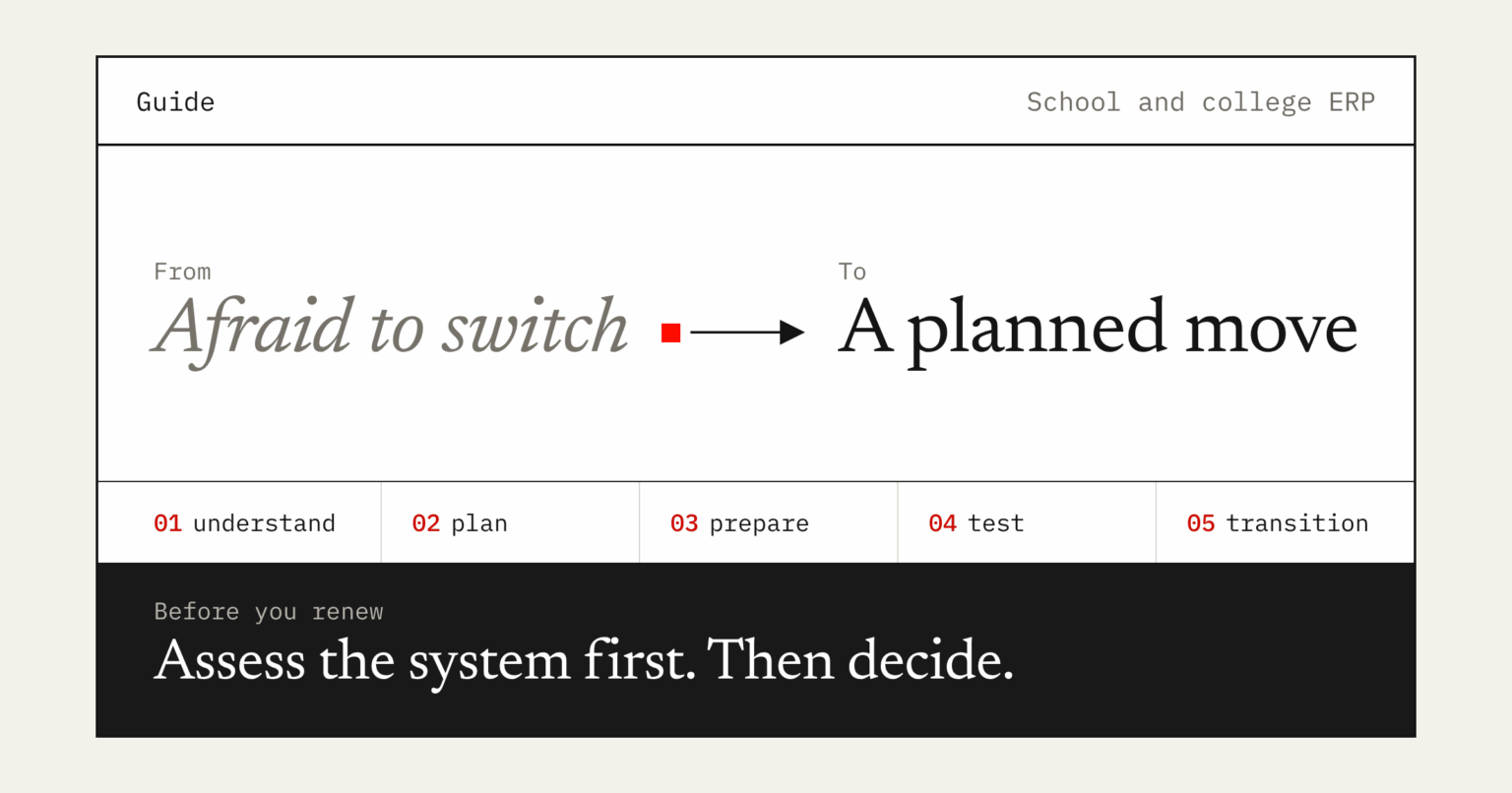
The Five-Step ERP Migration Process
1. Understand
We review your existing ERP, the problems your staff face, the data you hold and the workflows your institution cannot run without.
2. Plan
We identify what can be migrated, what needs customization and what must be handled separately. You see this before you commit to anything.
3. Prepare
Authorized data exports are arranged, backups are taken, fields are mapped between the old and new systems, and the checks used to validate the migration are agreed.
4. Test
Student records, fee balances, attendance, reports, user permissions and the other agreed critical functions are checked on the new system before go-live.
5. Transition
Go-live follows an agreed schedule, with support during the changeover and a rollback plan where technically feasible.
Choosing the Right Time to Move
Timing matters as much as technique. Admissions, term fee collection and examinations are the weeks when an office can least afford a surprise. Assessment and planning can begin at any point in the year, while the go-live date is agreed around your academic calendar.
Starting the conversation early, well before a contract renewal date, leaves room for data cleaning, testing and staff familiarization instead of a hurried switch against a deadline.
Student Data Deserves Careful Handling
School and college records contain personal information about students, many of them minors, and about their parents. Exports should be made only with the institution’s authorization, shared through agreed channels and limited to the people working on the migration. Our Data Protection and Confidentiality Commitment sets out how we approach client data.
ERP Migration for Schools and Colleges in Mangaluru, Udupi and Across Karnataka
Y5MEDIA is an India-based team with a background in education ERP work. We serve schools, PU colleges and degree colleges in Mangaluru, Udupi and across Karnataka, and work remotely with educational institutions and trusts elsewhere, so education ERP migration in India is not limited by location. Where a management runs several institutions, the assessment can look at them together.
Two real projects from our education work are published on this site: Your ERP May Not Be Broken. It May Just Be Outdated. and 100+ Institutions. One Connected ERP Ecosystem.
Frequently Asked Questions
Will we lose student data when we change our school or college ERP software?
A planned migration is designed to prevent that. Data is backed up before anything moves, mapped to the new system and checked against the old records before go-live. What can be carried over depends on what your current system can export and on the quality of the data, which is why the assessment comes first.
How much does ERP data migration cost?
With Y5MEDIA Premium ERP Migration there is no separate data migration charge, subject to data compatibility and the agreed scope. Customization is quoted separately according to what your institution needs, and the software is provided on a monthly subscription. Figures are agreed after the assessment.
Will our teachers and office staff have to learn everything from scratch?
Staff will need to learn a new system, though not all at once. Familiar processes such as admissions, attendance and fee collection are planned and tested first, and staff and administrators are assisted through the transition within the agreed service scope.
Will there be downtime during the switch?
It depends on your environment, so we do not promise zero downtime. The go-live is scheduled around your academic calendar to keep disruption low, with a rollback plan where technically feasible.
Can every feature of our current ERP be moved to the new system?
Not always. Compatibility depends on your existing vendor’s export options, your data, your integrations and the capabilities of the destination software. The migration plan states what will be migrated, what needs customization and what will be handled separately.
What if we are not sure our current vendor will provide our data?
Begin by checking your contract and asking the vendor in writing for an export of your institution’s data. The assessment looks at what can be obtained and in what format, and the migration is planned only around data you are authorized to export.
What to Remember
- Fear of migration is understandable, but it is not a reason to keep ERP software that no longer suits your institution.
- A school ERP software migration does not mean starting from zero when data is assessed, backed up, mapped and tested first.
- How much can be migrated depends on export capability, data quality, integrations and the destination software.
- Y5MEDIA Premium ERP Migration offers free data migration within agreed scope, customization by requirement and a monthly subscription.
- The sensible first step is an assessment of your existing system, not a commitment to switch.
How Y5MEDIA Can Help
The ERP Software Migration Services page explains the offer in full, including what is part of it and what is quoted separately. Where a requirement falls outside standard software, Custom Software Development covers it.
ERP Software Migration
Free data migration within agreed scope, a monthly subscription and customization quoted by requirement.
Learn more →Custom Software Development
Modules, integrations and workflows built around how your institution actually works.
Learn more →Backup Solutions
Automated, tested backups before and after any change to your systems.
Learn more →Thinking About Switching Your School or College ERP Software?
Before renewing another contract with a vendor that no longer meets your needs, discuss your current system with Y5MEDIA. We will assess your existing software, understand your institution’s requirements and plan a practical migration path.
Free data migration, subject to compatibility and agreed scope. Affordable customization. Predictable monthly subscription options.
Call or WhatsApp +91 7902024242, email support@y5media.com, or use the contact page.